Advanced Shell Scripting

Write a shell script to create multiple directories.
To Create multiple directories script was given below-
#!/bin/bash
echo "hey iam creating 90 directory"
for i in  {1..90};
do
mkdir -p  day$i
echo "day$i has been created"
done
After this to exit from the '.sh' file type -: ctrl Key+x.after this gives permission for the file i.e. user group and others type- chmod 777 <filename>.To see the output type-./filename.output of the above command is like this-
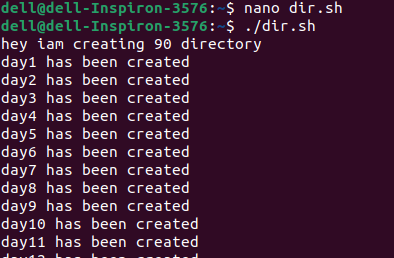

in this script, -p stands for parent which is a flag.mkdir is a command to create a directory.to create multiple directories for loop was used.
Create a Script to back up all your work done till now.
folder1="/home/Desktop/achyut/Shell-Scripts"
folder2="/home/Desktop/linux-command"
folder3="/home/nishkarshraj/Desktop/HelloWorld"

#tar = Tape Archive tool for compression
#Creating same backup tar file for all specified folders
tar -cvf /backup/backupfile.tar $folder1 $folder2 $folder3

#Go to the backup folder location
cd /backup

#Show the size of the folder
du -s
Automatic Backups with cron.
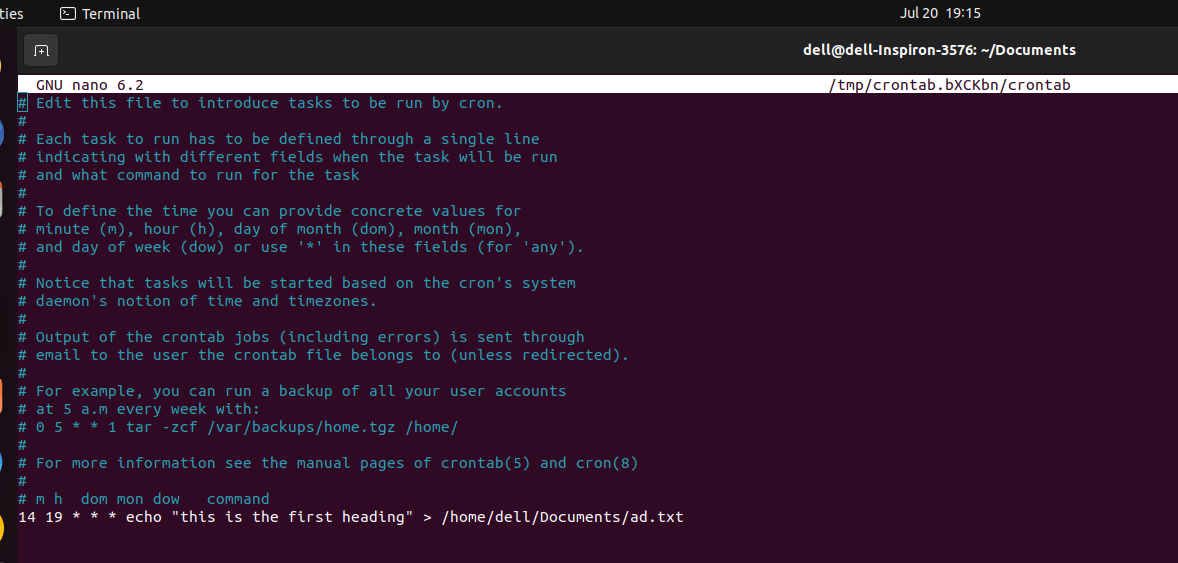
output-
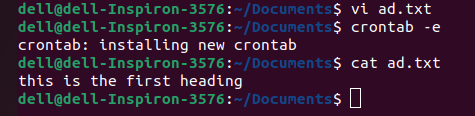
here in the first picture, this is a crontab. the syntax write a crontab is-
<month> <hour> <day of month> <day of week> command
What is User Management in Linux?
User management in Linux involves tasks related to creating, modifying, and managing user accounts on a Linux system. All the task of this user management was performed under Super User.
To add a user command is- adduser username.
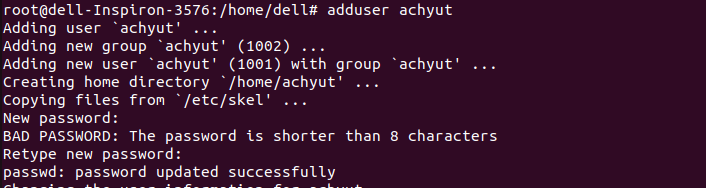
To create a password for the user command is - passwd username.
To delete a user the command is - deluser username.

To know the id of the user command is- id username.

To see the properties of the user command is- cat /etc/passwd.

Create 2 users and just display their Usernames.
Two user name-ach, Rahul was created using the command adduser.
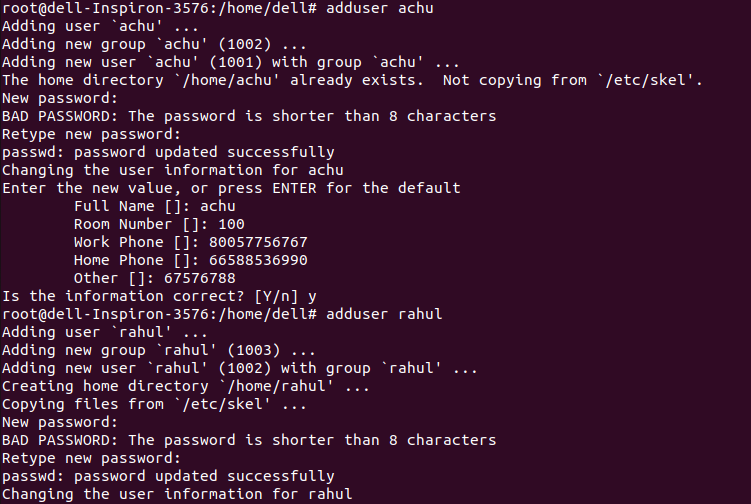
Display user name-: